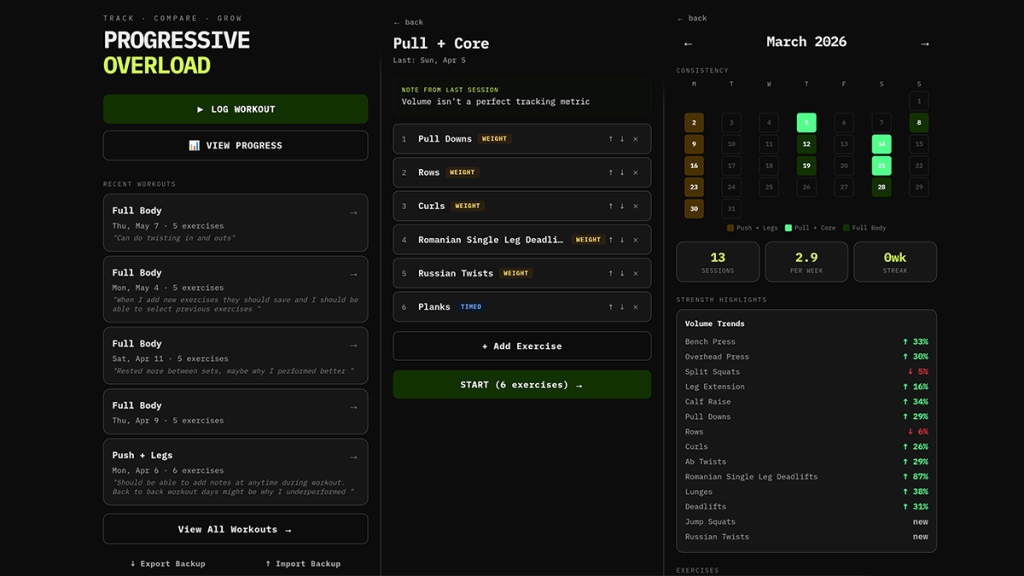
Progressive Overload. That’s the slop name Claude gave it, and I was too lazy to think of a better one. It’s a mobile app that lets me track my workouts.
I created a working version with Claude Code in less than an hour. That was a couple months ago, and since then I’ve been using it regularly.
The design
My approach to designing Progressive Ovlerload was first to see if a physical notebook would be enough.
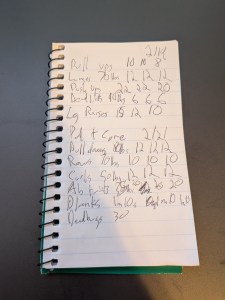
Got annoyed pretty quickly with jotting down the same exercise names for each session, flipping back and forth to calculate my reps based on previous entries, and having no easy way to analyze my entries or visualize my progress. Perhaps most problematic was forgetting my notebook when I went to the gym.
I knew that I wouldn’t forget my phone when working out, so I tried using Google Keep instead. But I still had similar problems of not being able to easily reference previous notes and still couldn’t get a broad view of my progress.
I shared those observations with Claude in a prompt and gave it this wish list for a mobile app that would:
- Prompt me for which kinda workout routine I want to do (Full body, Pull + Core, Push + Legs)
- Once selected it would show me the exercise list for that type of workout that I did last time and confirm it’s what I want to do this time. If not, I can have the option to remove exercises from the list or add them.
- etc.
Based on this list, Claude developed a prototype.
Getting the app to work on my phone
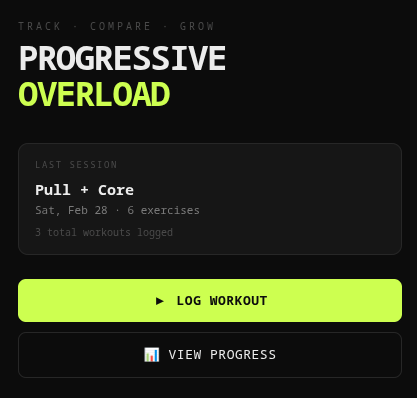
While I was impressed with what Claude had created, the first version was a Claude “artifact,” meaning that I could only use it within the Claude app. I didn’t want the extra step of opening Claude in order to access my workout tracker, so I prompted it to refactor the code to make it possible for me to use a GitHub Page to host. That way, I could add that page as a home screen shortcut on my phone.
This switch is what led to the first and only real bug I’ve encountered with Progressive Overload so far. When I first tried loading it from my phone, it seemed to be working fine, and I was able to log my first entry.
During that first workout session using the app, I wrote down some adjustments I wanted to make. Later, I used the Claude Code to implement some of those items. But then when I launched the app from my phone again, none of the changes showed up. I deleted the home screen shortcut and re-added it. Then the changes showed up but the workout session I had logged was erased.
After looking into it, I realized what happened was related to how the data was being cached. Claude Code designed the app to store entries on my phone, not in any sort of separate cloud database. That makes it fast and usable offline, but the problem was the code also treated updates as “fresh installs” where it would wipe the entries if I made changes to the code.
The solution involved essentially adding some code that made the app check for the latest updates on GitHub when I loaded it but also told it that an update doesn’t mean a fresh install, so don’t get rid of the existing data.
Using the app
Since then, I haven’t encountered any more real issues, just minor issues that I’ve slowly added features to address. Something that I learned to appreciate about a paper notebook after starting on the app was its versatility. Things like changing the order of the exercises, adding a new exercise mid workout, changing weight mid-set: all very easy with pen and paper, but things that require planning and consideration with the app.
Claude Code does help making these improvements, but it does still take time and effort. The rhythm I’ve gotten into is making note of things I want to improve during workouts and then at the end of the month talk with Claude about them and see which ones make sense and would be feasible to do.
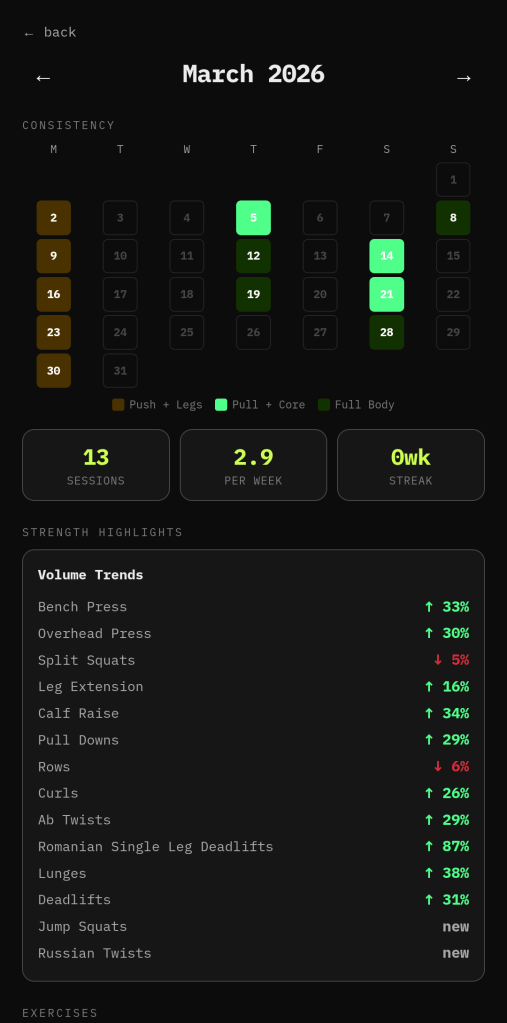
A good example is tracking progress. For exercises like pull-ups and push-ups which are just rep based, it’s easy to create a linear graph showing progress.
But when you add weighted exercises it gets more complicated. Adding more weight can seem like a setback if you’re just looking at reps because you’ll go from 12 reps to 6 even if you’re lifting 20 more pounds. My solution was to calculate volume (reps x weight) and track that as a single metric. Fine for now. Sure there’s a better way.
Thoughts on Vibe Coding
In conclusion, for me vibe coding has worked for this workout tracker because the use case is limited in scope and fairly simple. It’s essentially a custom calculator. My workout routine is something personal to me, and I understand my preferences well after years of training. The data is also local with no real dependencies. And I’m the only user.
The downside is that even if Claude Code makes maintenance of the app easier, you still have to do maintenance. It’s enough that I hesitate to vibe code something to solve another limited-scope-type problem, because I can see how maintenance of multiple apps could become overwhelming.
If there was an existing workout app that I could customize more to my preferences, I wouldn’t have had to design one from scratch on my own. That’s where the concept of malleable software come into play. When it comes to software, in general it’s preferable to work on something with other people than alone.
But for now anyway, I’ve enjoyed the process of developing this app and learning about Javascript more in the process, and most importantly it has made working out simpler for me.
 JW Caterine
Leave a comment